Google Public Sector Partners
Accelerate your AI journey
Bringing the best of Google Cloud technology, Google Public Sector is the partner to help you accelerate your mission.

Why become a Google Public Sector Partner
-
Innovate
Leverage cutting-edge Google Cloud AI and infrastructure for transformative public sector solutions.
-
Grow
Expand market reach and accelerate pipeline with enhanced incentives and go-to-market support.
-
Specialize
Gain specialized training and dedicated resources to deliver trusted, high-quality outcomes and drive change in the public sector.
Become a Partner: Start your journey
-
Join Partner Advantage
This is the entry point to partnering with Google Public Sector, offering various tiers and partnership types like selling, servicing, or building solutions. Review the specific training and requirements to apply!
-
Upskill your team
Gain knowledge and scale your business through trainings, certifications, and resources. Access Go-To-Market activations and Enablement where you find use case, customer benefits, sales pitches, and marketing resources.
-
Achieve badges
Beyond the initial journey, differentiate yourself by earning designations Partner, Premier Partner badge, or certifications. These validate your technical proficiency, customer success, and integrated solutions, boosting your credibility within the ecosystem.
Bring the power of Google Public Sector to your customers
Leverage our ecosystem to sell, service, and build solutions across Google Cloud, Security, and Workspace.

Resell Google Cloud services, Google Security products, and Google Workspace directly or through a distributor.
Provide valued consulting and service delivery for Google Cloud infrastructure, Google Security solutions, and Google Workspace collaboration tools.
As an Independent Software Vendor (ISV), build integrated solutions that leverage Google Cloud and Google Security capabilities, or extend Google Workspace functionality; sell through the Cloud Marketplace.
Stand out from the crowd
These partners demonstrate exceptional delivery and expertise in Google Cloud’s most strategic solutions with government and education customers within the United States public sector.































































Partner Resources
-
Engage with Google
After becoming a partner access a comprehensive self paced partner journey and essential assets to understand relevant partner resources: Explore Partner advantage
A complementary and easy-to-use platform for access to campaigns, resources, and enriched services: Launch Partner Marketing Studio
Our new portal is designed to support our partners. It includes updates and changes to our previous partner system to better streamline collaboration and provide enhanced benefits: Launch: Partner Network Hub
-
Learn with Google
Access GTM Activations and Enablement to find use case, customer benefits, sales pitches, and how to engage customers that accelerate activation efforts and drive targeted outcomes: Activate Partner Learning Center
Grow in-demand skills in emerging cloud technologies with Google Cloud training and certifications. Google Cloud Partners have unlimited access to all our training at no cost: Elevate Certification Academy
On-demand courses, hands-on labs, and opportunities for industry-recognized certifications, all tailored to the unique needs and challenges of government and educational institutions: Launch Google Skills for Partners

Partner success stories




Latest news

APRIL 22, 2026
Google Cloud Next 2026 registration is now open
Join us in Las Vegas April 22-24, 2026 to explore the AI and cloud technology, tools, and insights that are helping elevate citizen services, drive efficient missions, and reach new scientific breakthroughs.

FEBRUARY 24, 2026
Google Public Sector presents GenAI.mil Training
Register for a series of high-impact enablement training designed to build a mission-ready digital workforce, from foundational concepts in Machine Learning to advanced strategies with Gemini Enterprise and Generative AI for Leaders.
FEBRUARY 18, 2026
We’re announcing the new Google.org Impact Challenge: AI for Government Innovation
We’re looking for bold ideas that use AI to tackle complex societal hurdles and streamline essential public services. Beyond initial funding, organizations selected will receive dedicated support through the Google.org Accelerator to help scale their solutions.

FEBRUARY 18, 2026
We’re launching the Google.org Impact Challenge: AI for Science
AI for Science GIC is a global call for organizations and researchers using AI to achieve scientific breakthroughs for environmental sustainability, climate resilience, and life sciences.
FEBRUARY 5, 2026
Gemini for Government: Your Front Door For Mission AI
Learn how Gemini for Government can help accelerate generative AI and agent adoption across your agency, scale your impact, and advance your mission.
FEBRUARY 13, 2026
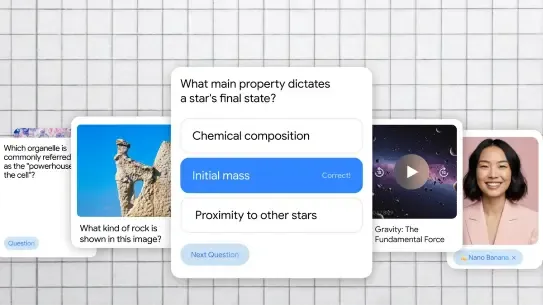
5 ways Gemini can help students work smarter
From free SAT and JEE Main practice tests to custom quizzes, here is how Gemini is helping students this semester.
FEBRUARY 12, 2026
Gemini 3 Deep Think: Advancing science, research and engineering
Our most specialized reasoning mode is now updated to solve modern science, research and engineering challenges.
FEBRUARY 12, 2026
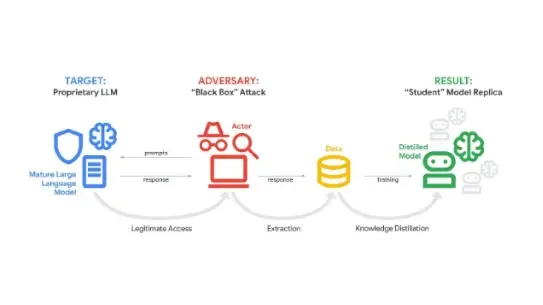
GTIG AI Threat Tracker: Distillation, Experimentation, and (Continued) Integration of AI for Adversarial Use
This report examines topics such as model extraction attacks, AI-augmented operations, agentic AI, AI-integrated malware, and underground “jailbreak” ecosystem.
FEBRUARY 11, 2026
How we’re helping democracies stay ahead of digital threats
We released a new whitepaper at the Munich Security Conference, outlining the current threat landscape and sharing our recommendations for a unified, full-stack approach to security that can help democracies.

FEBRUARY 5, 2026
How Google Cloud is helping Team USA elevate their tricks with AI
Google Cloud built an AI-powered training tool to help U.S. Ski & Snowboard athletes hone their skills, featuring the latest tools from Gemini and frontier models from Google DeepMind.
FEBRUARY 6, 2026
Delivering a secure, open, and sovereign digital world
Our commitments to verifiable control, assured resilience, local investments, and open choice are our pledge to help build a digital future that is innovative, secure, and truly sovereign.

FEBRUARY 6, 2026
Starfish Space uses Google Cloud to accelerate satellite servicing in orbit
Starfish Space selected Google Cloud as its strategic provider for cloud infrastructure, leveraging the scalability of Google Compute Engine and Google Kubernetes Engine (GKE).
FEBRUARY 3, 2026
Key insights from our inaugural survey on the ROI of AI in the public sector
Our inaugural ROI of AI in the public sector report, commissioned by Google Cloud and conducted by National Research Group, surveyed 251 senior leaders from public sector agencies and found that AI initiatives are already delivering value.
JANUARY 26, 2026
Gemini for Government: Unlocking the next wave of public sector innovation
Harness the best of Google’s AI-optimized, secure and accredited commercial cloud services, our industry-leading Gemini models, and agentic solutions, with FedRAMP High-authorized security and compliance features.
JANUARY 26, 2026
We’re announcing the 12 recipients of our AI for Science fund
Meet the Google.org awardees using artificial intelligence to solve global challenges. Explore how these pioneers are transforming fields from climate science to healthcare with innovative technology.

JANUARY 22, 2026
The truths about AI hacking that every CISO needs to know (Q&A)
Examine the latest research on how attackers leverage AI to exploit vulnerabilities with this candid dialogue on the limitations and capabilities of AI-powered threats. Use these insights to refine your risk assessment and prioritize security investments effectively.
JANUARY 21, 2026
New security and AI detection features for Google Workspace for Education
We’re announcing new ways for educational organizations to protect their data and use AI responsibly: Google AI media verification, ransomware detection, and granular admin controls.
JANUARY 21, 2026
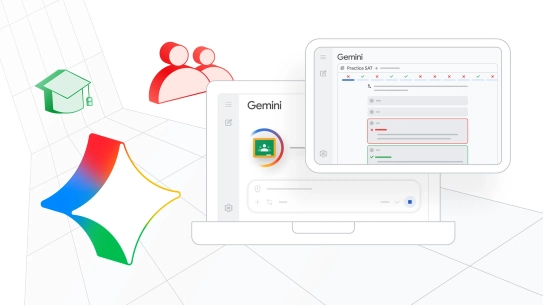
Transform teaching and learning with updates to Gemini and Google Classroom
Save time and do your best work with new capabilities, like practice SATs in Gemini, and audio and video recordings in Google Classroom.
JANUARY 16, 2026
Cloud CISO Perspectives: Practical guidance on building with SAIF
Review expert perspectives on establishing a resilient foundation for generative AI and machine learning models. Govern your AI initiatives with a security-first mindset and delineate the core pillars of SAIF to mitigate emerging threats.
JANUARY 15, 2026
Thomas Kurian Explains the Discipline Behind Google Cloud’s Growth
Watch Thomas Kurian and Bob Evans discuss the strategic shifts that fueled Google Cloud’s growth, with particular focus on customer-first philosophy, deep industry specialization, and long-term AI investments.

JANUARY 14, 2026
Celebrating 250 years of America, from its history to its future
See how we are using our products and platforms throughout 2026 to bring history to life and showcase the country's iconic landmarks - from Route 66 to Colonial Williamsburg and so much more.
JANUARY 13, 2026
New Google Public Sector research shows that nearly 90% of federal agencies are already using AI
Unlock insights from the latest Google Public Sector research on federal AI integration. Explore survey results from 250 federal IT leaders to identify high-ROI use cases such as data processing and workflow optimization.
JANUARY 9, 2026
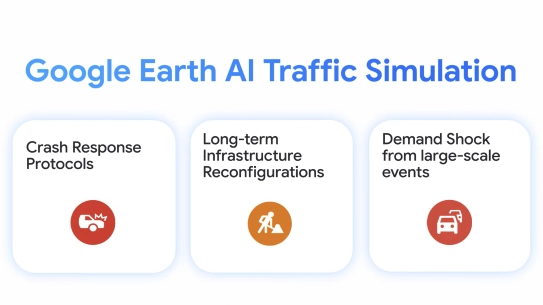
Traffic Simulation API: A key new element of the Earth AI portfolio
Model the future of urban mobility. Use high-fidelity simulations to de-risk investments, validate emergency plans, streamline your infrastructure planning with city-scale traffic scenarios designed for accuracy and safety.

January 8, 2026
A smart investment: FINRA builds a culture of improvement with DORA
Discover how FINRA accelerated its software delivery by adopting DORA metrics. Learn how a culture of continuous improvement led to a 9% productivity boost and faster sprint velocities.
JANUARY 6, 2026
Reflecting on a year of transformation and mission impact together
Explore how Google Cloud is driving public sector transformation. From GenAI to digital modernization, see how a year of innovation is delivering real mission impact and shaping the future of government services.
DECEMBER 23, 2025
Google's year in review: 8 areas with research breakthroughs in 2025
Explore a look back at some of the breakthroughs, products and scientific milestones that defined the work of Google, Google DeepMind and Google Research in a year of relentless progress.
DECEMBER 19, 2025
5 ways AI agents will transform the way we work in 2026
Here’s a look at the five key trends that are defining where agents will fundamentally reshape business and drive new value in the coming year.
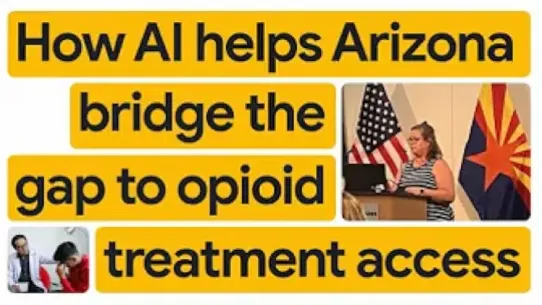
DECEMBER 18, 2025
The State of Arizona advances local opioid treatment access with Google AI
See how Arizona’s Medicaid agency (AHCCCS) is using Google AI to connect residents with life-saving opioid treatment. Learn how a GenAI assistant provides real-time, personalized support to over 20,000 users.
DECEMBER 18, 2025
Agentic AI in action: Shaping the next era of government services
Move beyond the theory of AI. Discover practical frameworks for deploying Agentic AI at scale in the public sector, engaging multi-agent architectures, and ensuring governance for measurable public impact.

DECEMBER 18, 2025
How Google Public Sector and Google DeepMind can power the Genesis Mission and a new era of scientific discovery
Through our Genesis Mission partnership with the Department of Energy (DOE), Google is committed to powering this new era of federally-funded scientific discovery with the necessary tools and platforms.
DECEMBER 16, 2025
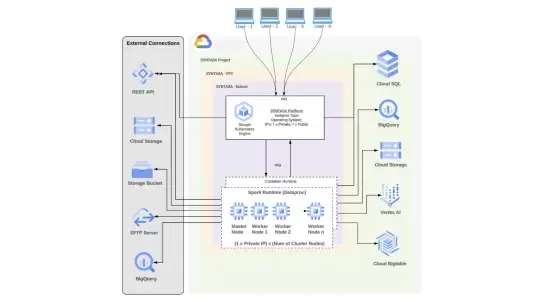
Wayne State University and Syntasa: Transforming public health assessments with AI
See how a collaboration between Wayne State University, Google Public Sector, and Syntasa teamed up to create CHNA 2.0, an innovative solution that drastically cuts down the time it takes to create these vital reports.
DECEMBER 16, 2025
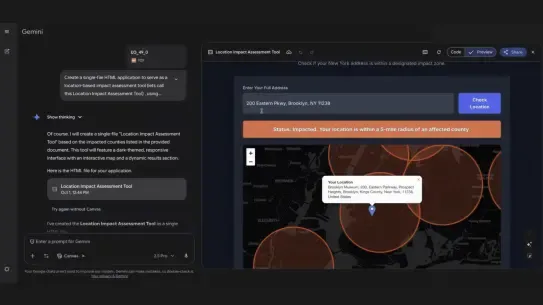
Google Workspace with Gemini transforms disaster response communication
Let’s dive deeper into how Google Workspace with Gemini can help transform government operations and boost the speed and effectiveness of critical public outreach during a natural disaster.
DECEMBER 15, 2025
AI playbook for sustainability reporting
We’re sharing a practical playbook to help organizations streamline and enhance sustainability reporting with AI.

DECEMBER 15, 2025
When securing Web3, remember your Web2 fundamentals
Our teams contribute to projects including testnet faucets, indexed blockchain data on BigQuery, and operate validator nodes for major protocols such as Ethereum, Solana, and Polygon.
DECEMBER 12, 2025
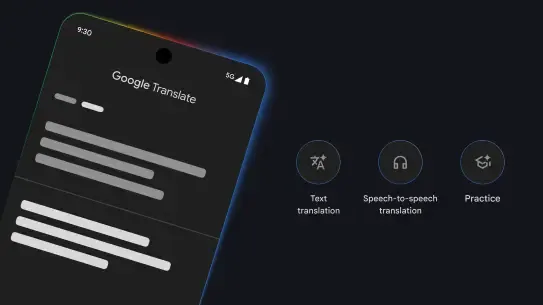
Bringing state-of-the-art Gemini translation capabilities to Google Translate
We’re bringing Gemini’s most powerful translation capabilities to Google Translate for text, launching a beta experience for live speech-to-speech translations with headphones, and adding new languages to the app for practice and skill building.
DECEMBER 12, 2025
Boost your agency's efficiency: Take Google Workspace for a test drive
See the difference AI makes in mission delivery. Get 30 days of no-cost access to our FedRAMP High-authorized productivity suite with built-in AI.

DECEMBER 12, 2025
Highlights from Google Public Sector Summit '25
Watch this playoff of videos highlighting our latest Google Public Sector Summit, held on October 29th, 2025, in Washington, D.C.
DECEMBER 12, 2025
Cloud CISO Perspectives: Our 2026 Cybersecurity Forecast report
Today, Francis deSouza, COO and president, Security Products, Google Cloud, shares our Cybersecurity Forecast report for the coming year, with additional insights from our Office of the CISO colleagues.

DECEMBER 12, 2025
State of Utah: Giving 22k employees superpowers by scaling Google Workspace with Gemini
The State of Utah deployed Google Workspace with Gemini to 22,000 government employees through a methodical pilot-to-production approach, achieving nearly 40% adoption within months and delivering measurable time savings across state agencies.
DECEMBER 11, 2025
A Connected Government: A Roadmap for State and Local Health and Human Services
Explore the technical and strategic roadmap fueled by respondent insights from over 250 government leaders to overcoming legacy silos and leveraging AI for better constituent outcomes in Health and Human Services.

DECEMBER 11, 2025
Overcoming AI security prioritization paralysis
Aim to turn shadow AI into smart, secure enterprise AI with some guidance with actions that verify the integrity of every model before deployment, enforce strong identity controls, and use Confidential Computing to guard your data even while in use.
DECEMBER 11, 2025
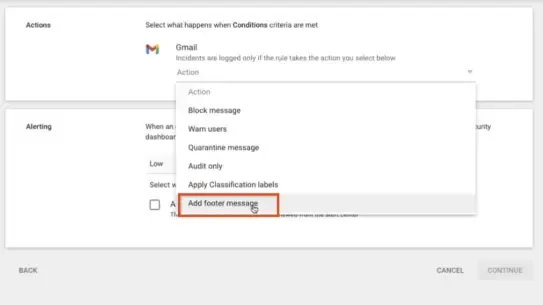
Gmail data classification update: include header or footer message
Earlier this year, data classification labels for Gmail became generally available. Admins can use this feature to classify and audit email content according to organizational guidelines.
DECEMBER 9, 2025
Chief Digital and Artificial Intelligence Office Selects Google Cloud's AI to Power GenAI.mil
Google Cloud today announced that the Chief Digital and Artificial Intelligence Office (CDAO) selected Google Cloud's Gemini for Government to serve as the first enterprise AI deployed on the U.S. Department of War (DoW)'s GenAI.mil to 3 million civilian and military personnel.
DECEMBER 5, 2025
U.S. Department of Transportation selects Google Workspace as new agency-wide collaboration suite
The U.S. Department of Transportation (DOT) is becoming the first cabinet-level agency to fully transition its workforce away from legacy providers to Google Workspace with Gemini.

DECEMBER 10, 2025
The 7 finalists in the XPRIZE Quantum Applications competition
These 7 teams demonstrate the potential to pioneer quantum algorithms that can outperform classical computers and solve real-world problems.
DECEMBER 8, 2025
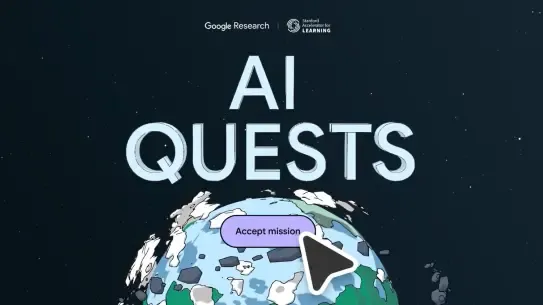
How we’re supporting the next generation of innovators
We’re celebrating Computer Science Education Week and Hour of AI by launching a new AI Quest to promote AI literacy in schools, and announcing over $5 million in Google.org funding for computer science teaching.
DECEMBER 4, 2025
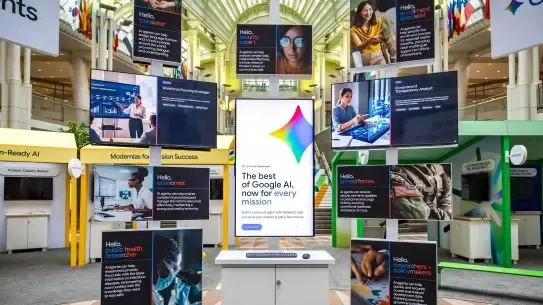
300+ AI agents built in one day at Google Public Sector Summit
The agentic era is here. See the agent gallery, learn about Gemini for Government, and start building your own agent prototype.
DECEMBER 4, 2025
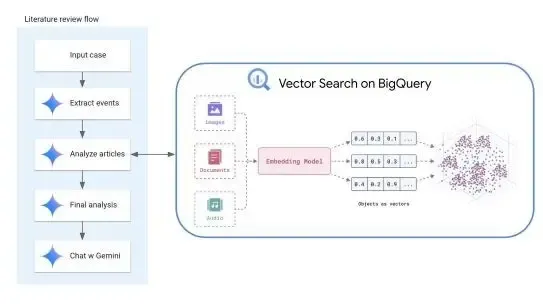
Accelerate medical research with PubMed data now available in BigQuery
PubMed data is now available as a BigQuery public dataset with vector search capabilities from Vertex AI (both BigQuery and Vertex AI Vector Search are FedRAMP High authorized).
DECEMBER 3, 2025
How institutions worldwide used Google for Education tools in 2025
Explore the more than 150 features and updates to support teaching and learning, and how the impact has been game-changing as we strive to reach over 10 million students at 1,000 US higher education institutions.
DECEMBER 2, 2025
Department of the Navy Awards Cloud Computing Task Orders for Google Cloud Platform, Oracle Cloud Infrastructure
Program Executive Office Digital and Enterprise Services (PEO Digital) has announced the award of Joint Warfighting Capability Cloud (JWCC) competitive task orders to Google Public Sector and Oracle America for Department of the Navy (DON) cloud computing services.
Hear from our partners
Google Public Sector partner program FAQs
General questions
The Partner Advantage program is our global partner program that enables our partners to deliver the transformational power of Google, the resources to help them build their practice and the flexibility to choose the path that best suits their business model to achieve the highest quality customer outcomes. Learn more about becoming a partner today!
The Partner Network Hub is our newly designed portal to support our partners. It includes updates and changes to our previous partner system to better streamline collaboration and provide enhanced benefits.
It’s an easy process! Simply update your partner status in the Partner Network Hub and get approval from your designated distributor. No significant additional training is required to make the transition..
To update your partner status to add public sector, you will need to:
- Navigate to your profile in the Partner Network Hub.
- Update your partner status to reflect your intention to operate in the public sector.
- Request a 2 Tier sell authorization for Google Cloud and/or Google Workspace.
- Connect with your designated distributor to obtain approval
No. There are minimal additional training requirements to add public sector. The primary requirement is updating your status and getting the necessary approval.
If you are at the Partner or Premier level, your company is eligible for annual sandbox credits. You can request these directly within the Partner Network Hub.
You can request a letter of support by filling out this form.
The Delivery Readiness Portal (DRP) is a required tool that tracks and validates your team’s real-world technical skills beyond standard certifications. It provides proof of your expertise and is necessary to achieve specializations and unlock select funding.
Please email our dedicated Google Public Sector ISV team at gpsisvs@google.com.
Technical Support and Workspace Access
These are common login issues your super admin can resolve.
- Cloud Identity Error: Your super admin needs to ensure Cloud Identity Free is properly set up for your account.
- Find your super admin using this guide.
- If the admin is gone or unknown, use the account recovery process.
- Once you have access, ensure Cloud Identity is set up for your domain.
- Domain Verification Error: Your super admin or IT team must prove domain ownership. If issues persist, use the domain verification troubleshooter.
If you are reporting a Cloud Identity error, it means you need a license assigned to you. You can fix this for free in the Google Workspace Admin Console.
Step 1: Check Your Current Subscriptions
First, see if Cloud Identity is already active on your account.
- Navigate to Billing > Subscriptions in your Admin Console.
- Look for "Cloud Identity (Free)" or "Cloud Identity Premium."
- If you see it listed, skip to Step 3.
If Cloud Identity isn't listed, you'll need to add the free version.
- While in the Subscriptions menu, find and sign up for Cloud Identity Free.
- This service is free and includes up to 50 licenses for your users.
Step 3: Assign Licenses to Your Users
Once the subscription is active, you must assign the licenses.
- Navigate to Directory > Users.
- Select the users who are experiencing the error.
- Assign each of them a Cloud Identity Free license. This will resolve the login issue.